
Prime Video
Amazon Mobile LLCEntertainment
3.11.03K Reviews
- Version
- 6.23.23+v15.5.0.70-armv7a
- Installs
- 100.00M
- Age Rating
- Teen
Screenshots
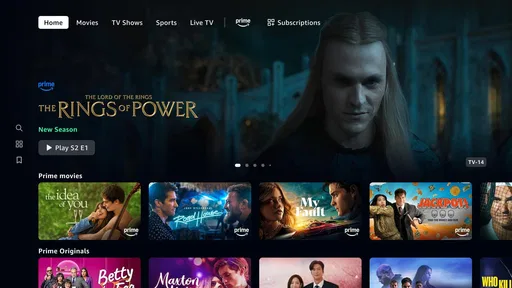
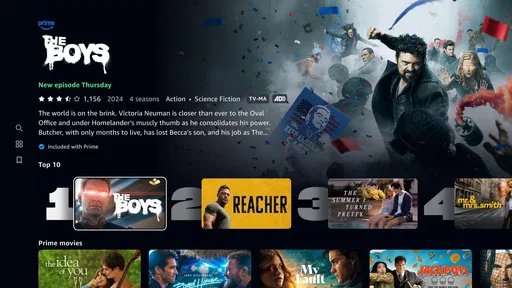
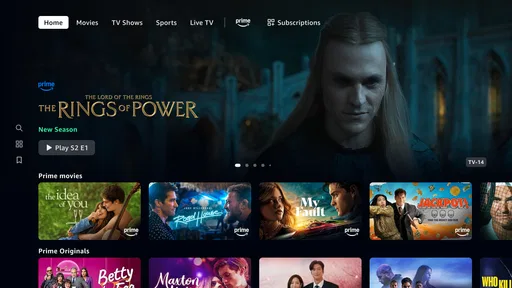
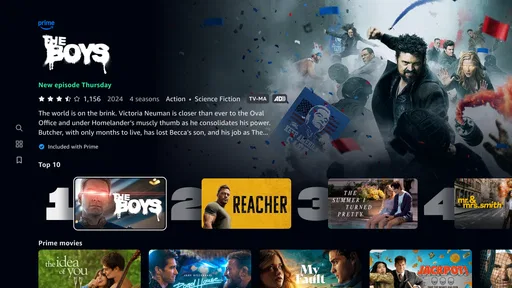
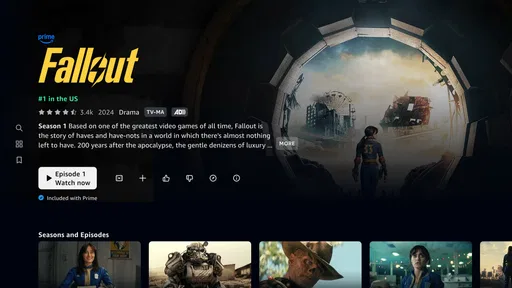
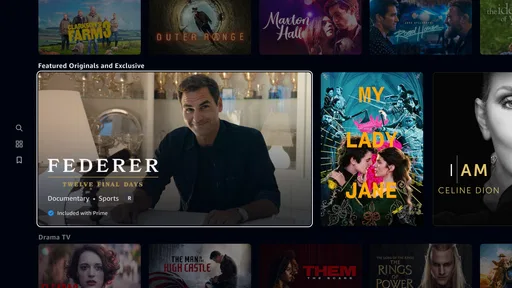
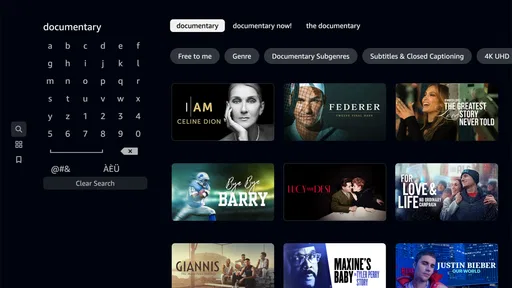
Our Review of Prime Video
 Analysis by Appyee
I’ve found Prime Video most useful when I want several kinds of viewing in one place: a film for a quiet evening, a series to follow, or live programming and sports when I want something happening now. It is an entertainment app from Amazon Mobile LLC, and its mix of on-demand viewing and live options gives it a different feel from services built mainly around one kind of content. That breadth is appealing, though it can also make the app feel busy when I already know exactly what I want.
Readability and finding something to watch
The first screen is arranged around rows of recommendations and featured titles. I can browse when I am undecided, or use search when I have a particular actor, series, or film in mind. A watchlist is useful for keeping promising options in one place instead of relying on memory, especially when recommendations have sent me down a few different browsing paths.
Prime Video has an average rating of 3.1 from around 38,000 ratings, alongside roughly 1,000 written reviews. I take that as a reason to approach it with realistic expectations rather than assuming every part of the experience will suit everyone. The app has been installed over 100 million times, which gives it a broad audience, but popularity alone does not tell me whether its layout or content mix will work for a particular viewer.
For a quick decision, I get better results by searching first and browsing second. If I open the app without a plan, rows of recommendations can turn a short break into a long scroll. Saving a title as soon as it catches my eye is a small habit that makes a later movie night easier: I can compare a few candidates without having to find each one again.
Motor and sensory considerations
During playback, subtitles and audio-language choices can make a meaningful difference. I find subtitles useful not only for viewers who prefer reading dialogue, but also when a room is noisy or someone nearby is asleep. Audio options can help viewers choose a language that works for them. The practical point is to check these settings on the specific title you plan to watch, rather than assume every program offers the same choices.
Downloads are another useful option when network access is uncertain. I can prepare a show or movie before leaving home, then watch without depending on a steady connection. That helps on a commute or trip, but it takes a little planning: I need to choose the title and download it while I have access, rather than waiting until I am already offline.
On a smaller screen, browsing and reading details can be more tiring than watching once playback begins. I would make selections before settling in, use search instead of repeatedly scanning rows, and turn on subtitles when dialogue is hard to catch. These are practical adjustments, not a promise that every screen, control, or title will work equally well for every person.
Watching in different situations
One feature I enjoy is X-Ray, which can show cast details and other viewing information while a title is playing. It is handy when I recognize an actor but cannot place them, or when I want to learn more without leaving the program to search elsewhere. I treat it as an optional extra: if I am watching closely, I ignore it; if I am curious, it gives me a way to explore without losing my place.
A realistic use for the app is planning around a patchy commute. Before leaving, I can add a few likely choices to my watchlist and download one for offline viewing. At home, I can use the search and recommendations to pick up another episode or choose a different film. The trade-off is that offline viewing only helps when I have prepared in advance, so it is less useful for a spontaneous trip if I have not saved anything.
Prime Video is free to download, but that does not mean every viewing choice has the same cost or access conditions. The app includes in-app purchases ranging from five cents to $333 per item. I would check the details shown for an individual title before deciding to watch or buy it, especially if I am browsing with a child or sharing a device. Its Teen content rating is another reason to make viewing choices deliberately rather than treating the whole catalog as suitable for every age.
How the viewing experience holds up
I find that the viewing experience depends less on how many titles are available and more on how deliberately I approach the app. A quick search, a short watchlist, and a check of the playback options can make a broad catalog easier to manage, especially when I’m choosing for different people or settings. That balance between range and effort is what I’ll consider next.
Content, choice, and useful trade-offs
The catalog brings together films, series, live programming, and sports, so I am not limited to one format. That range is useful in a household where one person wants a series and another wants a live event. It also means that the best way to use the app depends on what I am looking for: recommendations are convenient when I want to browse, while direct search is usually faster when I have a specific title in mind.
Compared with a service focused primarily on a single kind of programming, Prime Video has a broader mix. That can make it a good companion to another streaming app rather than a replacement for every alternative. If I mainly want a particular competitor’s exclusive shows, or I prefer a very narrowly curated catalog, another service may be a better fit. Here, variety is the draw, but choosing among that variety takes some effort.
The app’s version is 6.23.23+v15.5.0.70-armv7a, and it supports Android 5.0 and later. Those details matter most when I am deciding whether an older Android device can run it. The app is also available on iOS, but the version and system requirements discussed here are for Android. Since devices differ, I would still check the compatibility shown for my own phone before installing.
Remaining barriers and who may want another option
My main reservation is not a lack of things to watch; it is the work involved in finding the right thing and understanding the choices attached to individual titles. A crowded home screen can be distracting for someone who wants a simple, predictable route to one program. Recommendations may help me discover something, but they are not a substitute for clear search habits or a watchlist when I want to keep browsing under control.
It is also not the ideal choice for someone who expects every title to have identical subtitle or audio-language support, or who needs a reliable offline option without planning. I would check the playback settings on the specific program and download ahead when a connection may disappear. For viewers who need a more consistent accessibility setup across an entire catalog, testing a few titles before relying on the app for regular viewing is the sensible approach.
Families should make title choices with care. The Teen rating describes the app’s general content classification, not a guarantee that every movie or series is suitable for every teenager or younger viewer. I would look at the individual program and any purchase prompts before handing over a device, particularly when children can navigate independently.
An inclusive verdict for everyday viewing
Prime Video works best for me when I use it intentionally: search for a known title, save interesting finds, check language options on the program itself, and download before travel. X-Ray adds context for curious viewers, while the combination of on-demand titles and live programming gives the app more than one role in an evening. These small workflows make the breadth feel useful rather than overwhelming.
Amazon Mobile LLC released the app on December 20, 2017, and it remains a free entertainment download with optional in-app purchases. I would recommend trying it if you value a wide mix of films, series, live content, and sports, and are comfortable checking the details of individual titles. I would look elsewhere if you want a tightly focused catalog, a consistently simple interface, or a viewing routine that requires no advance planning for offline access.
Overall, I see Prime Video as a flexible option, not a perfect fit for every viewer or every situation. Its strongest point is the range of ways I can use it; its less comfortable side is the need to navigate that range carefully. If I approach it with a short list, use the watchlist, and check the options attached to the program I choose, it becomes easier to enjoy on my own terms.
So, I’ve been diving into the world of Prime Video lately, and let me tell you, it’s quite the entertainment treasure trove. Whether you’re a movie buff or a series binge-watcher, this app has got something to keep you glued to your screen.
Getting Started with Prime Video
First things first, downloading Prime Video is a breeze. Just head to the App Store or Google Play, and you’re a tap away from entertainment bliss. Once you’ve got it installed, signing in is simple, especially if you’re already an Amazon user. If not, no worries—you can easily create an account.
Upon opening the app, you’re greeted with a clean and intuitive interface. It’s like stepping into a virtual cinema, with everything neatly organized. The home screen showcases a mix of trending shows, Amazon Originals, and personalized recommendations. It’s like they’ve got a sixth sense for what you want to watch next.
Features That Make Prime Video Shine
One of the standout features is the download option. Traveling? No problem. You can download your favorite movies and shows to watch offline. It’s a lifesaver for long flights or commutes where Wi-Fi is a distant dream.
Then there’s the X-Ray feature. Ever wondered where you’ve seen that actor before? X-Ray gives you behind-the-scenes info, cast details, and even fun trivia while you’re watching. It’s like having IMDb at your fingertips!
Prime Video also offers a variety of subtitles and audio languages, making it super accessible. Whether you’re brushing up on a new language or just prefer subtitles, it’s got you covered.
Content Galore
The content library is, in a word, massive. From blockbuster movies to acclaimed series, there’s something for every taste. Love a good thriller? You’ll find plenty. Prefer a heartwarming rom-com? They’ve got those too. And let’s not forget the Amazon Originals like "The Marvelous Mrs. Maisel" and "The Boys." These exclusive series are a big draw and a testament to Amazon’s commitment to quality content.
Prime Video isn’t just about the big names, though. It’s a platform that celebrates diversity, with a range of international films and series that you might not find elsewhere. It’s like opening a window to world cinema right from your couch.
Navigation and User Experience
Navigating through Prime Video is a piece of cake. The search function is robust, and you can filter by genre, release date, or even IMDb ratings. The playback is smooth, and the video quality is top-notch, especially if you’ve got a good internet connection.
Creating a watchlist is straightforward, allowing you to save titles for later. I often find myself adding more than I can watch, but hey, it’s good to have options!
Final Thoughts
Overall, Prime Video is a solid choice for anyone looking to expand their streaming horizons. It offers a rich selection of content, user-friendly features, and a seamless viewing experience. Whether you’re settling in for a movie night or diving into a new series, it’s got something to offer.
So, if you haven’t yet explored what Prime Video has in store, give it a whirl. You might just find your next favorite show or movie. And remember, with the download feature, your entertainment can go wherever you do. Happy streaming!
Verdict
Strengths of Prime Video
- Extensive library of movies and shows.
- Affordable subscription options available.
- Offline viewing for downloaded content.
- Supports multiple profiles for family use.
- High-quality streaming with minimal buffering.
Limitations of Prime Video
- Interface can be confusing for new users.
- Not all content is available globally.
- Some shows require additional payment.
- Limited customization of subtitles.
- Frequent updates may interrupt use.
Other Releases by Amazon Mobile LLC
View All
MX Player
Video Players & Editors4.2

Amazon Shopping
Shopping4.4

Prime Video
Entertainment4.7

Amazon Kindle: Reading App
Books & Reference4.8
Similar Picks in This Category
View All
Google Play Games
Google LLC3.9

Netflix
Netflix, Inc.4.8

YouTube Kids
Google LLC4.2

Disney+
Disney4.4
Prime Video
Amazon Mobile LLC4.7

Steam
Valve Corporation3.2
Frequently Asked Questions
What devices are compatible with Prime Video?
Prime Video is compatible with a wide range of devices, including smartphones, tablets, smart TVs, streaming devices like Roku and Fire TV, and gaming consoles such as PlayStation and Xbox. It is also accessible via any web browser on your computer. Always ensure your device's operating system is up-to-date for optimal performance.
Is there a download option for offline viewing on Prime Video?
Yes, Prime Video allows users to download select movies and TV shows for offline viewing. This feature is available on the Prime Video app for Android and iOS devices. Keep in mind that not all content is available for download, and there may be a limit on the number of titles you can download at a time.
Does Prime Video offer parental controls?
Prime Video provides a range of parental controls to help manage what content children can access. Users can set up a PIN to restrict purchases and limit access to certain content based on maturity ratings. Profiles can also be created to tailor content access according to each family member's age and preferences.
What kind of content is available on Prime Video?
Prime Video offers a diverse selection of content, including original series, blockbuster movies, documentaries, and children's programming. It also features content from various studios and networks. Additionally, users can subscribe to add-on channels for even more viewing options, though these may require an additional fee.
How does the subscription model work for Prime Video?
Prime Video can be accessed as part of an Amazon Prime membership, which includes additional benefits like free shipping on Amazon purchases. Alternatively, it can be subscribed to as a standalone service. Pricing varies by region, and there may be options for monthly or annual billing. Always check for promotions or free trial offers before subscribing.
